How to connect an ELM327 adapter to iPhone or Android
Needs an ELM327-compatible OBD-II adapter: Bluetooth LE (BLE) or Wi-Fi on Android and iPhone, Bluetooth Classic on Android only.
Supported adapters
| Bluetooth Low Energy (BLE) | iPhone, Android |
|---|---|
| Wi-Fi | iPhone, Android |
| Bluetooth Classic | Android |
ELM327-compatible adapters over Bluetooth Low Energy (BLE) or Wi-Fi on Android and iPhone, and over Bluetooth Classic on Android only. The app finds a BLE adapter’s channels automatically. On iPhone only BLE keeps recording in the background; Wi-Fi recording pauses when you leave the app or lock the screen. Adapter quality varies and no specific model is certified yet, so if yours will not connect, {support}tell us{/support}.
Plug in an OBD-II adapter
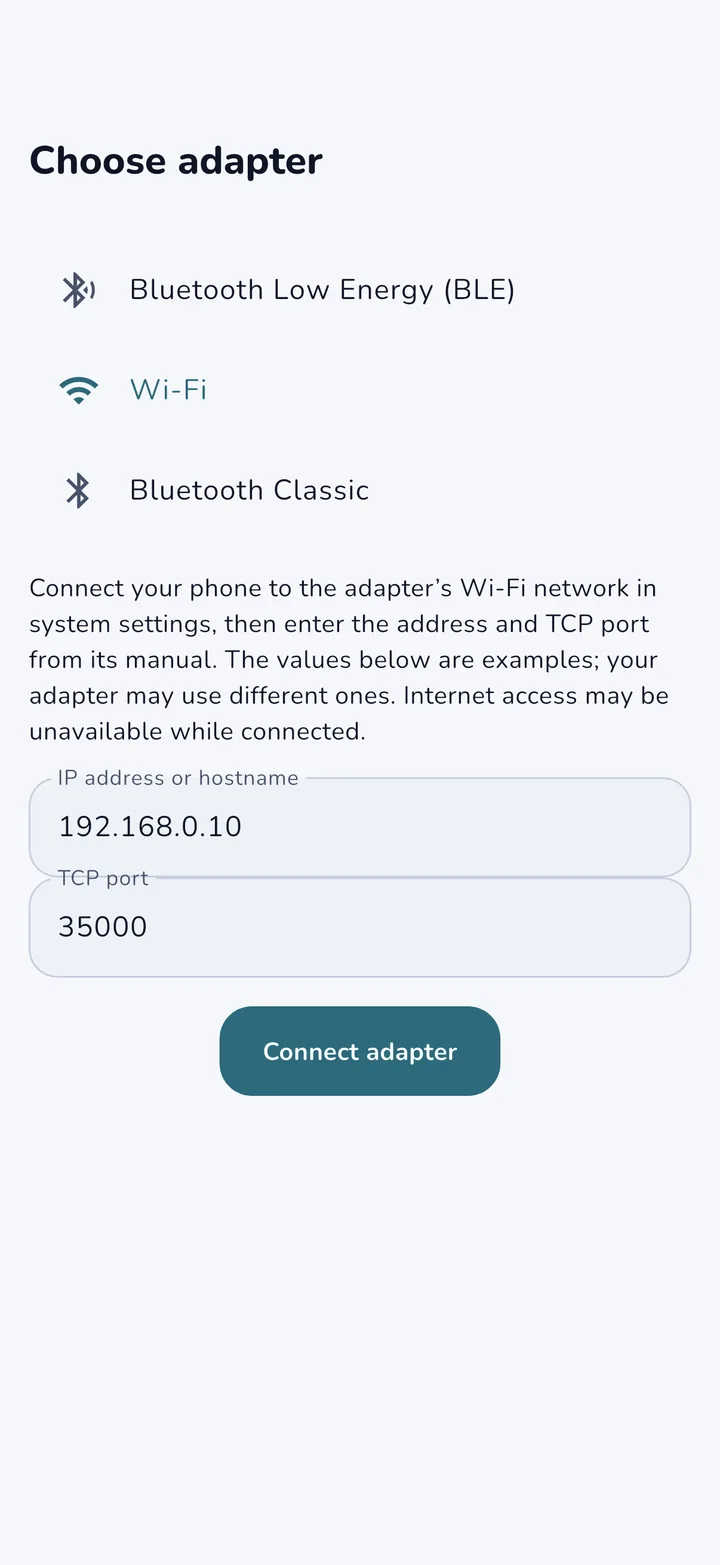
Insert the adapter into the OBD2 port, usually under the steering wheel. Turn on the ignition. For Bluetooth, turn on Bluetooth and allow OBD Vault to find nearby devices. For Wi-Fi, join the adapter’s network in your phone settings. Then open OBD Vault and choose your adapter. If a Bluetooth Classic adapter does not appear on iPhone, use a BLE or Wi-Fi adapter.
- In OBD Vault, choose Wi-Fi and enter the IP address and TCP port listed in your adapter’s manual.
- Bluetooth Classic (Android) First pair the OBD adapter in your phone’s Bluetooth settings, then select it here. Only paired devices are listed.
Scan with the OBD Vault app
Read fault codes, live engine sensors and trip statistics on your phone, with short explanations of what each code means. No account needed, and it works offline.