
Read OBD for free.
No subscription needed.
Fault codes, sensor readings, trips and history on your phone are free. No account or subscription needed. No subscription paywall to dismiss before reading your car.
Paid cloud sync lets your own AI read your saved car data directly. No more sending screenshots.



How It Works
From the socket under your steering wheel to a plain-language answer in 3 steps.
-
STEP 01
Plug in a BLE OBD-II adapter
Insert an ELM327-compatible Bluetooth Low Energy (BLE) adapter into the diagnostic socket, usually under the steering wheel. Classic-Bluetooth-only and Wi-Fi adapters will not connect.
-
STEP 02
Scan with the OBD Vault app
Read fault codes, live engine sensors and trip statistics on your phone, with short explanations of what each code means. No account needed, and it works offline.
-
STEP 03
Ask your AI assistant
Turn on Cloud Sync and connect OBD Vault to Claude to talk through your saved scans in everyday language. The ChatGPT connector is in review.
-
Vehicle Speed27 km/hCity driving
-
Engine RPM923 rpmWarm-up idle
-
Intake Pressure39.0 kPaManifold (MAP)
-
Coolant Temp32 °CWarming up
-
Battery Voltage12.1 VAs reported by the adapter
-
Long-Term Fuel Trim+19.5 %Engine adding fuel
The App in Action
Screenshots from the OBD Vault app, connected over Bluetooth Low Energy.
-
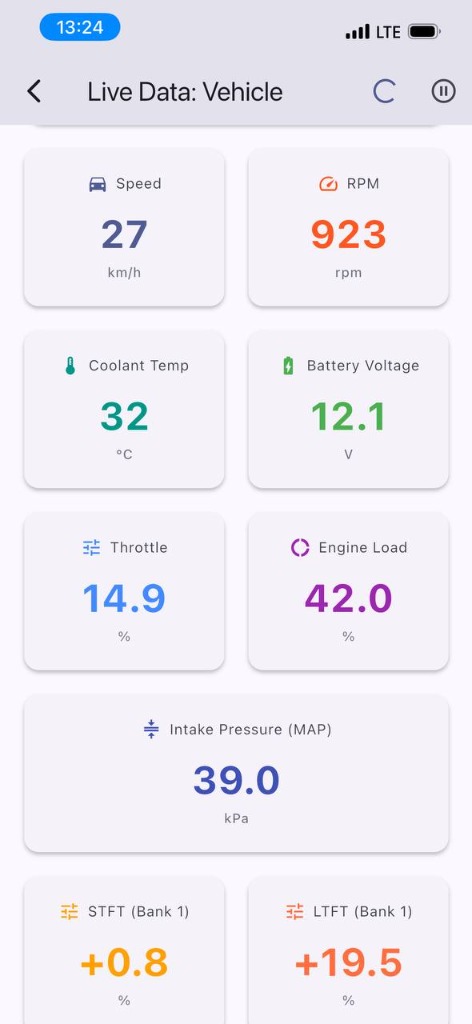 Live data
Live Sensor Gauges
Speed, RPM, coolant temperature, battery voltage and intake pressure while the engine is running.
-
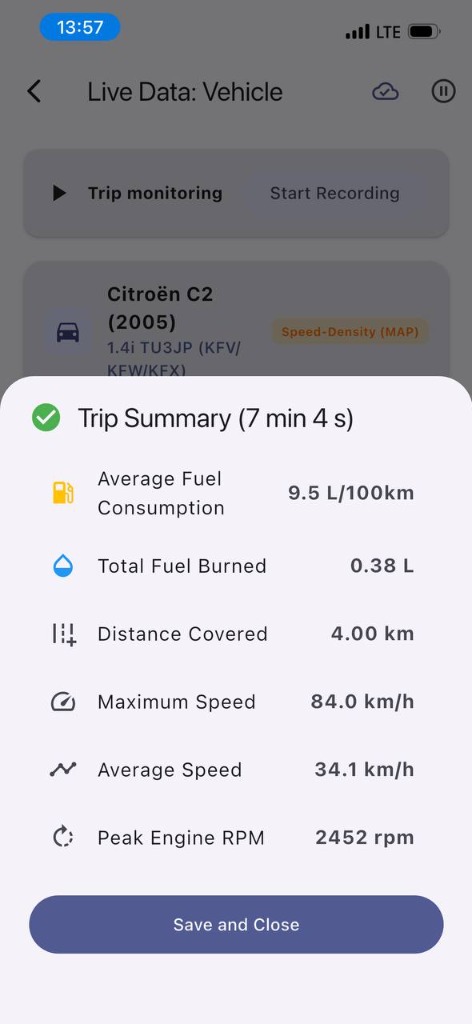 Trips
TripsTrip Summary & Fuel
Trips are recorded once you start moving: distance, average and top speed, RPM and estimated fuel economy.
-
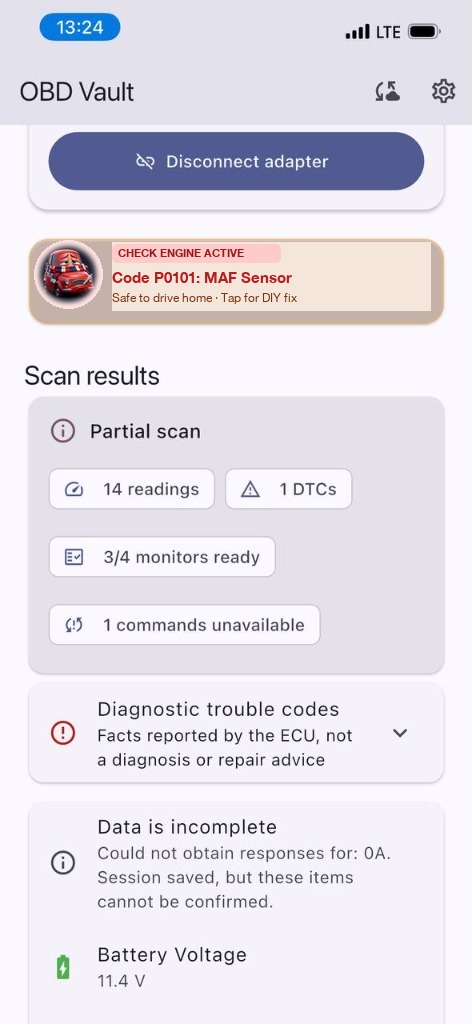 Diagnostics
Fault Codes Explained
Stored and pending fault codes, the sensor snapshot saved when a fault appeared, and emissions readiness checks.
-
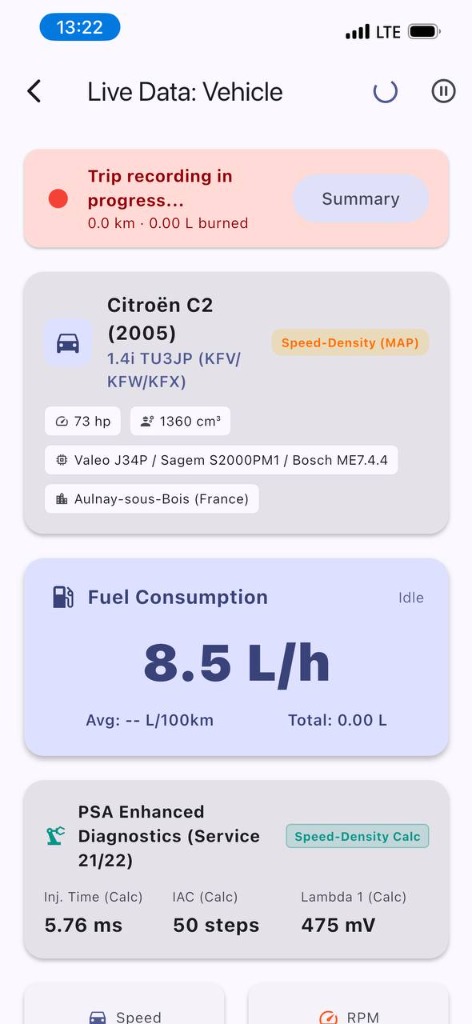 Your car
Standard OBD-II Data
Generic fault codes and live data on OBD-II / EOBD cars of any make. Some Peugeot and Citroën engines also show a few extra manufacturer readings.
Read OBD for free
Fault codes, sensor readings, trips and history on your phone are free. No account or subscription needed. Paid cloud sync lets your own AI read your saved car data directly. No more sending screenshots.
- Free offline diagnostics
- Optional AI connection over MCP
Simple Pricing
OBD readings and history on your phone are free. No account or subscription needed. Optional paid cloud sync lets your own AI read your saved data without sending screenshots.
Read OBD for free
- Read fault codes, freeze-frame data and readiness checks
- Clear fault codes, with a confirmation step
- Live sensor gauges and trip recording
- Your data stays on your phone and works offline
- No subscription needed
- No subscription paywall to dismiss before reading your car.
Cloud Sync & AI Connect
- Sync your scans and trips to your OBD Vault account over an encrypted (TLS) connection
- Connect to Claude over the Model Context Protocol (MCP); ChatGPT connector in review
- Ask about fault codes, freeze-frame data and trip history
- File export and reports (JSON, CSV and TXT) are included in the paid plan.
- One monthly subscription, bought inside the app
Billed through the App Store or Google Play. The store shows the exact price in your currency.
Connect Your AI Assistant
Your own assistant, such as Claude or another MCP client, reads your synced scans directly. No screenshots to send or readings to copy. OBD Vault has no built-in AI.
Set up in Claude
- In the OBD Vault app, sign in, subscribe to Cloud Sync & AI Connect and sync your scans.
- In Claude, open the connector settings and add OBD Vault. If you add it as a custom connector, use this address:
https://mcp.obd-vault.com/mcp - Sign in with your OBD Vault account and allow access to your diagnostics.
- Ask Claude to list your vehicles, then ask what your latest scan means.
The connector is accepted for Claude. The ChatGPT connector is in review and not available yet. Read the full connection guide.
Technical details
Saved on your phone
Fault codes, sensor readings, trips and history on your phone are free. No account or subscription needed.
Supported adapters
ELM327-compatible Bluetooth Low Energy (BLE) adapters only. The app finds the adapter’s BLE channels automatically. Bluetooth Classic-only and Wi-Fi adapters are not supported. Adapter quality varies and no specific model is certified yet, so if yours will not connect, tell us.
Vehicle coverage
Standard OBD-II / EOBD diagnostics: stored, pending and permanent fault codes, freeze frames, readiness monitors and the live data your engine computer reports. The adapter detects the vehicle protocol automatically. Extra manufacturer-specific readings are currently decoded for some Peugeot / Citroën (PSA) engines only.
Model Context Protocol
The MCP server uses OAuth sign-in and exposes eleven tools: ten read-only tools for your vehicles, scans, fault codes and trips, plus an on-demand data export. It reads synced records only. It cannot read live data from your phone, send commands to your car or clear codes.